There’s a new term in town – Consumerisation of IT. All of us who work in IT should care about this because it’s going to have a deep impact on the approach many of us have taken when deploying services to our organisations.
WP_000140 Yesterday was great fun and I was really pleased to see so many Black Marble event regulars at the IT Camp. It was great to hear so many requests for more events like it in Leeds. We’re all keen to run more, but we need people to attend and give us feedback in order to be able to do that.
Andy and I are really pleased to be able to help our friends at Microsoft with their latest idea for engaging with IT Professionals. Next week (Tuesday 28th February) sees the first in a series of new IT Camps taking place in Leeds. The idea is to run a full day event that is very light on PowerPoint and heavy on the hands-on, roll up your sleeves and install things as a group.
If you call in at Black Marble you’ll see Nokia’s everywhere. They’re talking over the place. It takes me back… I remember when almost everybody I knew had some kind of Nokia or another. I started with the 5.1 on Orange, followed by a sequence of progressively smaller phones. Then came Series 60 and I walked away – I never liked the interface. I swapped to Sony Ericsson and the P800, P900 and P910. I moved to Windows Mobile for time, until I could stand it no more and swapped to an iPhone (much to the grumbling of folk round here!).
Every now and again, whilst I’m away from the office, the gadget pixies visit my desk and leave something interesting for me to play with. It’s a bit like Bagpuss, except stuff works when it arrives and I can never get the guys to wake up when I need them too.
This one threw me for a while and I could find nothing specific on the web. I wanted to use my Xbox 360 to watch video streamed from my Windows Home Server. Streaming is switched on by default, I hear you say. Why, yes it is, but each time I tried to connect the Xbox I received an error.
This article is all about preparation. It’s about the thinking and planning you need to do if you’re going to successfully build your wonderful, unique and striking website on the SharePoint platform.
One of our customers contacted us the other day with a problem. They wanted to put a view of a document library that was located in the top level site of a site collection onto the landing pages of all the second level sites in that collection. The customer had consulted the internet hive mind and found a blog post with instructions which had been diligently followed and yet whenever a user clicked ‘New’ on the ribbon bar an error occurred.
If you talk to those who know me about my pet hates in SharePoint, the search pages will come up every time. It’s not that I hate search itself – that’s great, but the minimal.master is just plain annoying. It makes the search centre a black hole into which you can fall but not navigate out of – there’s no navigation and the portal site connection doesn’t work.
This one caused some consternation, I can tell you. As usual, the solution could be found on the great wide web, but it took some digging, so as usual I am repeating it here.
A while ago I posted about a hidden feature that was needed if you want to use Managed Metadata columns in your SharePoint 2010 sites. We were doing some 2007-2010 migration work for a client recently that also involved exporting and importing sites and site collections to rework the content structure. Once we’d got the new structure sorted we discovered that content type replication was not occurring on the site collections we had imported. Some comparison of working and non-working SPSite properties with PowerShell later, we discovered that the culprit was the same hidden TaxonomyFieldAdded (ID 73ef14b1-13a9-416b-a9b5-ececa2b0604c) feature as I noted earlier. See my earlier post for instructions on enabling the feature.
We’ve just put a video of the page templates and editing process up on the AvvisoSharePoint YouTube channel. Our plan is to add more videos over time to show the different things Avviso can do. Enjoy!
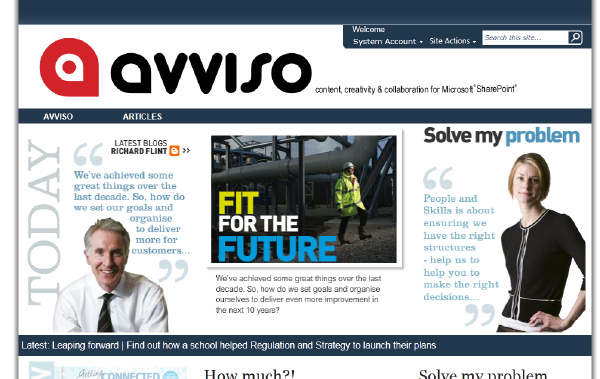
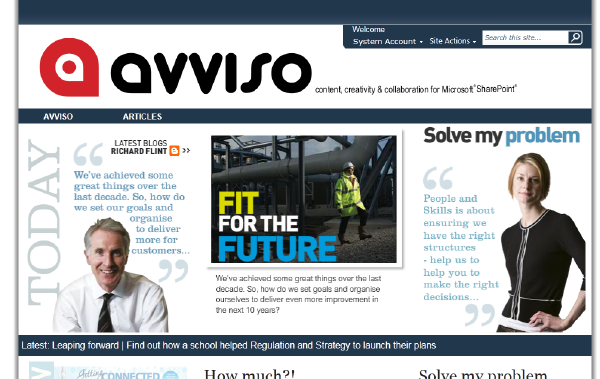
avvisohead I am really chuffed to have been invited back to NEBytes for a follow-up to my last session on content publishing with SharePoint 2010. This time I’ll be demonstrating Avviso and talking about the thought processes that lead to its development, the problems we are trying to solve and where we’d like to go next.
Frustrating errors with little or no explanation… # Once again I find myself wiring a blog post in order to save people the time we spent figuring out what was going on and getting help with our fault.
words and pictures logo Last week was really exciting for me and my colleagues here at Black Marble as the work we’ve been doing with a partner came to fruition. Words and Pictures are a communications agency based not far from us, and we’ve been working together on a great product that builds upon SharePoint 2010 to greatly improve content publishing.
A sensible plan # This is a torrid tale of frustration and annoyance, tempered by the fun of digging through system commands and registry entries to try and get things working.
When migrating from SharePoint 2007 to 2010, no matter how hard you try there’s always the chance the the content database upgrade process will throw out errors about features being referenced that are not present in the farm. We have used Stefan Goßner’s WssAnalyzeFeatures and WSSRemoveFeatureFromSite (see his original article) to track down the references and exterminate them. It’s not the fastest thing on two legs though, and I have a fondness for having my SharePoint 2010 tooling in PowerShell because of the flexibility it gives me.
We’re working on a solution at the moment that uses a custom site definition. For various reasons we stated with the Blank Site definition and worked from there. Our customisations include content types using custom columns that link to managed metadata term sets. We create all those through features – great! The tricky bit came when after deployment our managed metadata columns were greyed out. Examining the column we say an error telling us that the feature supporting the functionality was not activated.
On the 17th of November I’ll be keeping Richard company on the drive up to Newcastle to speak at the NEBytes user group. My session will be a shortened version of the Using SharePoint for Content publishing I will deliver at the Black Marble event on November 3rd. I will be showing what can be done with SharePoint 2010 when the brief is for a content publishing site, be it internet- or intranet-facing and I will talk about the things we have learned along the way whilst delivering such projects – things to avoid as well as things that work well.
This blog has been a very quiet place for a long time now, reflecting somewhat how busy I have been elsewhere. During this period of heavy work I have found a new friend in my Aspire 1420P. In some ways it’s sad – my trusty and reliable Dell Mini 9 has been neglected in favour of a younger, sexier model.